Self-Employed Tax Records: A Schedule C Checklist for 2026
You might call it doing your freelance taxes, filing your 1099 income, or getting your side-hustle expenses ready. Your tax software or accountant may call it preparing Schedule C.
For many US freelancers, independent contractors, and sole proprietors, Schedule C is the part of the federal tax return that reports business income and expenses.
Before you can complete it, you need the numbers—and the records that support them.
If you've spent the year collecting payments and making purchases but haven't kept up with bookkeeping, you may be wondering whether your bank statements are enough to get started.
The good news is that you can begin organizing your records without having maintained a full accounting system throughout the year. You'll still need supporting documents and may need additional information for certain tax deductions, but your bank and credit card statements can provide a useful starting point.
This checklist explains what to gather, what bank statements can help with, and where you may need more detail.
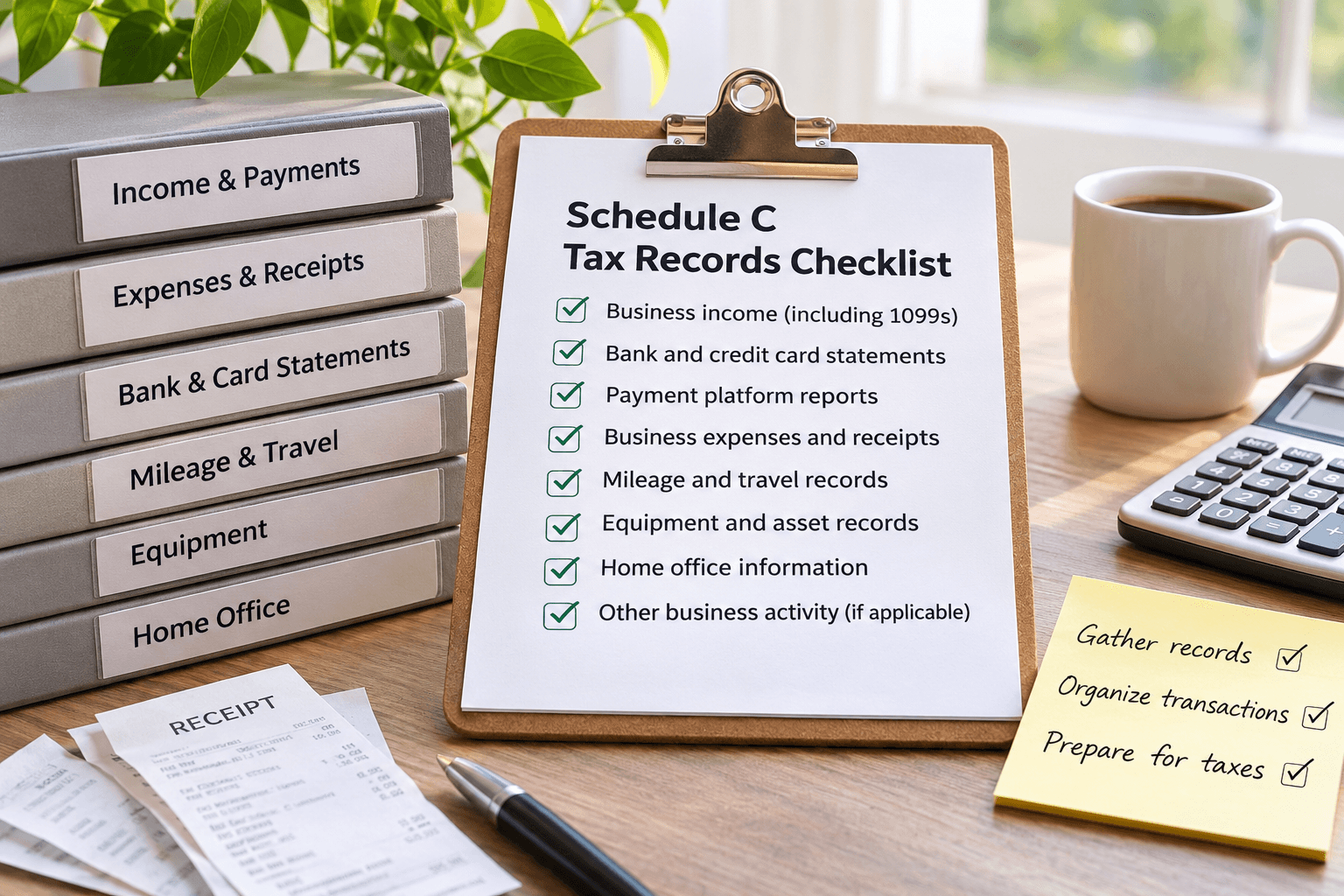
Is Schedule C the Same as Filing 1099 or Freelance Taxes?
"1099 taxes" is an everyday phrase, not the name of a tax return.
A Form 1099 reports certain payments made to you. Schedule C reports income and expenses from a business you operate as a sole proprietor. Eligible single-member LLCs also generally use Schedule C when treated as sole proprietorships for federal income tax purposes.
Schedule C is not the whole tax return, and Schedule SE is a separate form used to calculate self-employment tax when applicable.
This checklist focuses on straightforward US service businesses. The IRS Schedule C instructions explain who uses the form.
Your Self-Employed Tax Records Checklist
Not every business needs every item below. Start with the records that apply to yours.
| Record | What to Gather |
|---|---|
| Business income | Sales invoices, cash-payment records, customer payment details, and Forms 1099 received |
| Bank and credit card activity | Statements and transaction downloads covering the full tax year |
| Payment platforms | Processor or marketplace reports showing gross sales, fees, refunds, and payouts |
| Business expenses | Itemized receipts, invoices, proof of payment, and business-purpose notes where needed |
| Business driving and travel | Mileage logs, trip details, and supporting expense records |
| Equipment | Purchase documents, date first used for business, business-use details, and previous depreciation records |
| Home office | Space measurements, qualifying-use details, and relevant household costs if using actual expenses |
| Other business activity | Inventory, payroll, or contractor records, if applicable |
The IRS accepts different types of supporting business records.
The goal is to have records that show what happened and support the amounts reported on your tax return.
1. Record All Business Income—Not Just Your 1099s
Keep a record of payments from clients, customers, and platforms, including cash payments.
Compare the Forms 1099 you receive with your own records. A payment already included in your sales records should not be counted again simply because it also appears on a 1099.
Not receiving a 1099 does not make business income tax-free.
Reporting thresholds determine when a payer or platform must issue a form. They do not replace your responsibility to report income.
For payment apps and online marketplaces subject to third-party settlement organization rules, current IRS guidance gives a federal Form 1099-K threshold of over $20,000 and more than 200 transactions. Forms can still be issued below those levels. Payment-card transactions have different reporting rules.
You do not need to wait for a form before recording your earnings.
See the IRS explanation of Form 1099-K and income reporting.
Keep Payment-Platform Reports Alongside Bank Statements
A payout is not always the same as your sales.
For example, if a customer pays $100 and the processor retains a $3 fee, your bank may show only a $97 deposit.
The processor report helps you identify the $100 sale and the $3 fee separately.
Keep records of refunds and other adjustments too.
The IRS explains that Form 1099-K reports gross payments without subtracting items such as fees or refunds. Your other records help explain the differences.
2. Keep Expense Details, Not Just Payment Amounts
Your records should help establish:
- Who you paid
- When the purchase occurred
- How much you paid
- What you purchased
- How the purchase related to your business
Sometimes that takes more than one document.
For example, an Amazon charge for $187.42 could be office supplies, equipment, personal purchases, or a mixture.
A bank description doesn't tell the whole story.
Keep the itemized receipt or invoice and add a short explanation when the business purpose isn't obvious. For mixed purchases, identify the business portion.
Paying from a business account does not automatically make something deductible.
Likewise, flag business expenses paid personally so they can be considered without duplicating them elsewhere.
If you're unsure how to organize expenses into tax categories, see our guide to categorizing business expenses for Schedule C.
3. Keep Bank and Credit Card Statements for the Full Year
Bank and credit card statements provide a useful starting point for organizing income and expenses and checking for missing transactions.
Download every month for each relevant account, including accounts you closed during the year.
Keep CSV transaction exports too, if available.
When reviewing transactions, identify:
- Business income and operating expenses
- Transfers between accounts
- Owner contributions and withdrawals
- Loan proceeds and repayments
- Credit card payments
- Personal transactions
These items don't all receive the same accounting or tax treatment.
For example, a credit card purchase and the later payment of that card should not become two expenses.
If you're starting with a year of statements, our guide on how to do bookkeeping from bank statements explains the process in more detail.
Are Bank Statements Enough for Self-Employed Taxes?
They're a useful starting point, but they may not establish everything you need.
A statement can show that a payment occurred. It may not show the items purchased, the business purpose, or the personal portion.
It also won't necessarily capture cash income, expenses paid elsewhere, or fees withheld before a payment platform deposits money into your account.
Think of statements as the framework for organizing the year, with receipts, invoices, and other records supplying the detail. We cover this question in more depth in Can I file self-employed taxes with bank statements?
The IRS's recordkeeping guidance distinguishes transaction records from the supporting documents behind them.
Behind on Bookkeeping for Your 2026 Taxes?
If you have a year's worth of bank and credit card statements but haven't organized your transactions, you don't necessarily need to start by entering everything manually into a spreadsheet.
Heightly helps US sole proprietors organize bank and credit card transactions into categories aligned with Schedule C.
Upload your statements, review the suggested categories, and download PDF and Excel reports to help prepare your records for tax time.
No monthly bookkeeping subscription required.
Heightly organizes financial information for tax preparation. It does not prepare or file tax returns, replace supporting receipts, or provide tax advice.
4. Keep Extra Details for Mileage, Travel, and Meals
Some expenses require more than a dollar amount.
Business Mileage
For business driving, keep a timely log showing:
- Dates of business trips
- Destinations
- Business purposes
- Business miles traveled
- Total annual vehicle mileage
If using actual vehicle expenses, retain the related cost records too.
You can use our free Schedule C mileage worksheet to organize your mileage records and identify information you may still need.
Remember that ordinary commuting between home and a regular workplace is generally not deductible business mileage.
Business Travel and Meals
For travel, record the destination, dates, and business purpose.
For business meals, keep the amount, date, place, business purpose, and relevant business relationship.
Do not assume that "under $75" means "no records needed."
IRS Publication 463 contains limited exceptions to documentary-evidence requirements, including certain expenses below $75, but substantiation is still required. Lodging generally requires documentary evidence regardless of amount.
See IRS Publication 463 for the specific rules.
5. Keep Equipment and Home-Office Records Separately
Equipment and Other Business Assets
For items such as computers, cameras, and machinery, keep:
- Purchase invoices and receipts
- Acquisition dates
- Dates the assets were first used for business
- Business-use information
- Records of depreciation or Section 179 deductions previously claimed
- Disposal details when assets are sold or retired
An equipment purchase should not automatically be treated as an ordinary supply expense.
Its tax treatment depends on the applicable rules and your circumstances.
The IRS outlines asset records in its business recordkeeping guidance.
Business Use of Your Home
If claiming a home-office deduction, keep measurements and records supporting how and when you used the space.
Generally, qualifying use must be regular and exclusive, with exceptions for certain storage and daycare uses.
The records needed also depend on whether you use the simplified or actual-expense method.
The simplified method does not remove eligibility requirements. Actual-expense claims need relevant household cost records and allocation details.
See IRS Publication 587.
Do I Need Accounting Software for Schedule C?
The IRS does not require a particular bookkeeping app or paid subscription.
You can use a system suited to your business that clearly shows income and expenses and retains the supporting evidence.
For some freelancers, a spreadsheet and organized document folders are enough.
Others benefit from software that helps categorize transactions.
If you only need to organize your records once a year for tax preparation, a monthly accounting subscription may not be necessary.
We discuss this in more detail in Bookkeeping Without a Subscription.
Digital records are acceptable when they meet IRS requirements. Keep them complete, legible, retrievable, and backed up.
Do not rely solely on continued access to a bank or retailer account.
IRS Publication 583 explains recordkeeping systems and electronic records.
How Long Should I Keep Self-Employed Tax Records?
Three years is a common federal starting point, not a universal disposal rule.
Returns filed early are generally treated as filed on their due date.
Longer periods apply in some situations.
Examples include:
- Six years for certain substantial omissions of income
- Seven years for bad-debt or worthless-security loss claims
- Indefinite retention for unfiled or fraudulent returns
Keep property records through the applicable limitation period for the year of disposal.
Employment tax records generally need to be retained for at least four years after the tax becomes due or is paid, whichever is later.
Refund claims, state rules, and other obligations can also affect retention.
Check the IRS retention guidance before deleting records.
Frequently Asked Questions About Schedule C Records
Can I File Schedule C Using Only Bank Statements?
Bank statements can help you organize business income and expenses, but they may not provide all the information needed to support a tax return.
For example, you may need receipts to establish what was purchased, mileage records for vehicle deductions, and additional documentation for equipment or home-office expenses.
Bank statements also may not capture cash transactions or payment-processing fees.
They are a useful starting point, particularly if you haven't maintained regular bookkeeping, but should be considered alongside your other records.
What If I Haven't Done Bookkeeping All Year?
You can start by gathering complete bank and credit card statements for the tax year.
From there, organize transactions into income, business expenses, transfers, and personal activity.
Identify any missing receipts, invoices, or additional information needed for particular deductions.
Once the transactions are categorized and reviewed, you can prepare an income and expense summary for your accountant or tax software.
If you're behind, see our guide on how to catch up on a year of bookkeeping.
Do I Need QuickBooks to File Schedule C?
No. The IRS does not require QuickBooks or any other specific accounting software.
A spreadsheet or another suitable recordkeeping system may be sufficient, provided your records accurately reflect your business activity and you retain the necessary supporting documents.
For sole proprietors who only need to organize transactions for annual tax preparation, a simpler approach may be appropriate.
The important thing is that your records are complete, accurate, and available when needed.
How Heightly Helps Organize Your Records for Tax Time
Having the documents is one part of the work.
Turning a year of transactions into a useful summary is another.
If you've reached tax season with a year's worth of bank and credit card statements but haven't organized your bookkeeping, Heightly can help you get started.
Heightly is designed for US sole proprietors and eligible single-member LLCs who need to organize business transactions for tax preparation.
Here's how it works:
- Upload your statements. Use PDF bank or credit card statements or CSV transaction exports.
- Review suggested categories. Heightly helps organize transactions into categories aligned with Schedule C.
- Check your results. Review the suggested classifications, identify personal transactions, and make corrections where needed.
- Download your reports. Export PDF and Excel reports to help organize your financial information for tax preparation.
Instead of manually entering every transaction into a spreadsheet, you can focus on reviewing the results and identifying missing information.
Heightly uses one-time pricing for a report covering one tax year, without a monthly subscription.
Your receipts, mileage logs, platform reports, and other supporting records still matter.
Review the output for completeness and any adjustments needed for your accounting method before using it to prepare a return.
Heightly is software, not a tax preparer or accounting service. It does not file returns, calculate depreciation or Section 179 deductions, or provide tax advice.
Try a Free Preview of Heightly
See how your bank and credit card transactions can be organized before purchasing a report.
This article provides general information about US self-employed tax recordkeeping. Tax requirements depend on individual circumstances, and additional federal or state rules may apply. Consult a qualified tax professional when appropriate.
This article is for general informational purposes only and is not tax, legal, or accounting advice. Rules vary by province, state, and business type, and change often — confirm details with a qualified tax professional (or the CRA / IRS directly) before filing. Heightly is software, not a tax filing service.
Turn your bank statements into a Tax Prep Report
Try Heightly free — turn your bank statements into a tax prep report in minutes.
Get started free →