How to Do Bookkeeping From Bank Statements
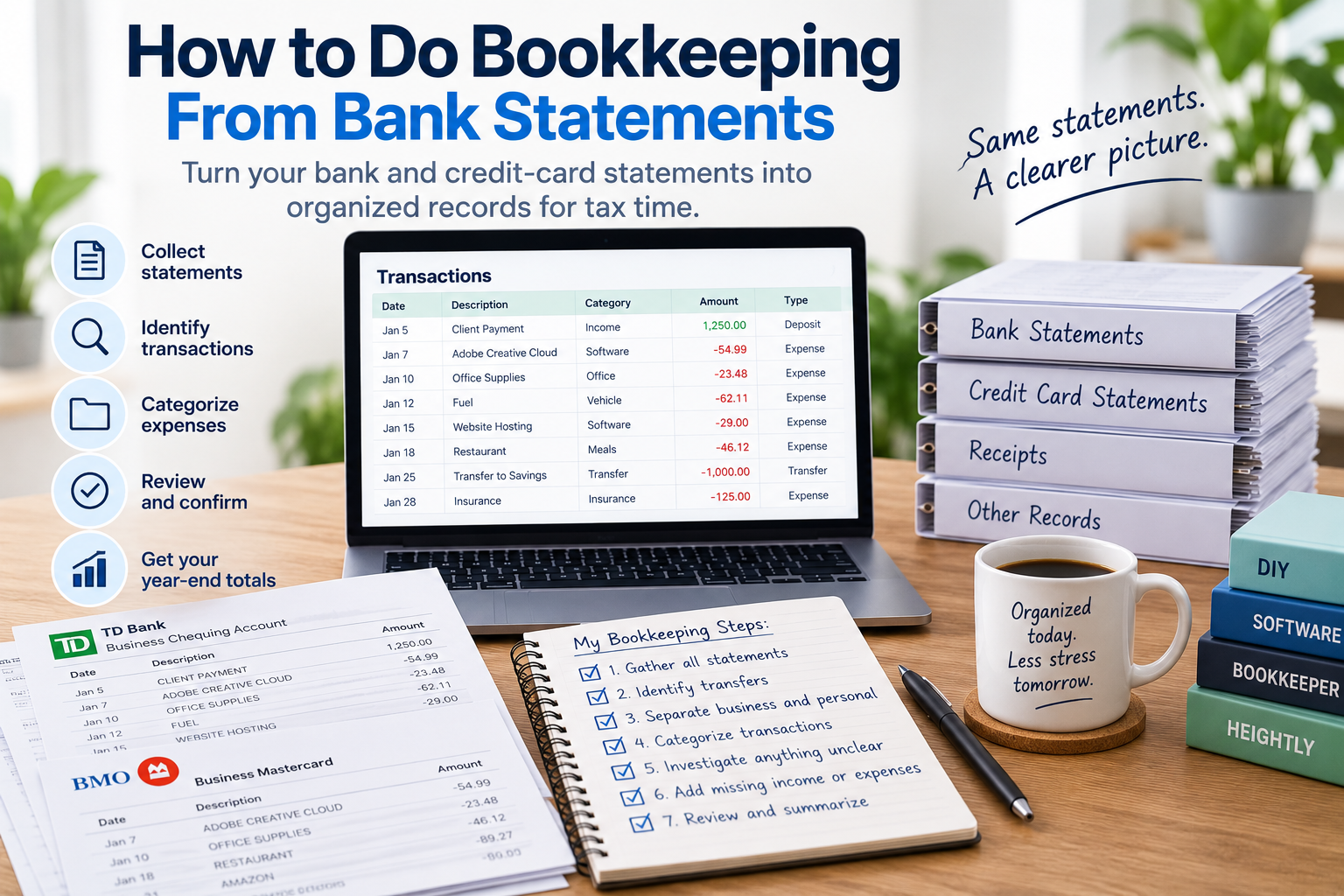
If you haven't kept up with your bookkeeping, your bank statements are often the best place to start.
They give you a chronological record of money moving in and out of your accounts. For a straightforward sole proprietor, that can capture a large portion of the transactions you need to organize.
But there is an important distinction:
Bank statements can be used to reconstruct your bookkeeping, but a bank statement isn't necessarily a complete bookkeeping record.
Your statement tells you that money moved.
It doesn't always tell you why.
Here's how to turn your bank and credit-card statements into organized bookkeeping, step by step.
Can you do bookkeeping from bank statements?
Yes.
For many sole proprietors, bank and credit-card statements provide an excellent starting point for bookkeeping.
If most of your business income is deposited into the same account and most of your expenses are paid from that account or a business credit card, your statements may contain much of the transaction history you need.
The basic process is:
Collect → Extract → Identify → Categorize → Review → Summarize
The challenge is understanding what each transaction actually represents.
For example, your bank statement might show:
AMZN — $184.72
You know you paid $184.72.
But the statement doesn't tell you:
- what you purchased
- whether it was for the business
- whether part of the purchase was personal
- whether you bought ordinary supplies or a significant piece of equipment
- whether you have an invoice or receipt supporting the purchase
That's why bank statements are an excellent starting point, but shouldn't automatically be treated as the only records you need.
What do you need to do bookkeeping from bank statements?
Start by identifying every financial account you used for your business.
That might include:
- bank accounts
- savings accounts
- credit cards
- personal accounts occasionally used for business
- payment processors
- other accounts through which business money moved
If you're catching up an entire year, make sure you have every month.
A missing statement means there may be a missing piece of your transaction history.
Don't forget your credit-card statements
This is particularly important.
Suppose your bank statement shows:
Credit Card Payment — $2,400
That doesn't mean you had a $2,400 business expense.
The actual expenses are the individual purchases on the credit-card statement.
The $2,400 bank transaction is simply the payment of the credit-card balance.
If you record the individual credit-card purchases as expenses and record the $2,400 payment as another expense, you may count the same spending twice.
So if you use a credit card for your business, include those statements in your bookkeeping process too.
Step 1: Gather all of your statements
Before categorizing anything, get the complete set of records together.
For each account, collect the statements covering the entire period you're trying to reconstruct.
For a full year, that usually means twelve months of:
- bank statements
- credit-card statements
- relevant payment-processor records
- statements from any other accounts used for the business
Keep them organized by account and date.
Don't start with January from one account, jump to a credit card in June, then return to the bank account in March.
A systematic process makes it easier to see what has and hasn't been completed.
Step 2: Create one transaction list
Next, turn the transactions on those statements into one organized list.
For each transaction, it is useful to record:
- date
- description
- amount
- account
- money in or money out
- business or personal
- category
- business-use percentage, if applicable
- whether the transaction needs review
- notes
You can do this manually in a spreadsheet.
We've created a free Catch-Up Bookkeeping Excel Template specifically for sole proprietors who want to take this approach.
Download the free Catch-Up Bookkeeping Excel Template (XLSX)
Instead of designing your own spreadsheet, you can start entering the transactions from your statements and work through them systematically.
Step 3: Identify transfers
Before treating deposits as income or withdrawals as expenses, identify transfers between your own accounts.
Suppose you move $3,000 from your main bank account into a savings account.
One statement shows:
Transfer — $3,000 out
The other shows:
Transfer — $3,000 in
You didn't spend $3,000 and then earn $3,000.
You moved your own money.
Transfers can include:
- bank account to bank account
- checking to savings
- bank account to credit card
- transfers to a tax savings account
- transfers between payment platforms and your bank
- money moved between personal and business accounts
Identifying transfers early helps prevent them from distorting your income and expenses.
Step 4: Identify business income
Now review the money coming into your accounts.
Don't automatically assume every deposit is revenue.
A deposit might represent:
- a customer payment
- a transfer from another account
- money you contributed personally
- loan proceeds
- a refund
- interest
- a payment-processor deposit
- something else entirely
Ask:
What does this deposit actually represent?
Where possible, compare deposits to your other business records, such as:
- invoices
- sales reports
- payment-processor reports
- contracts
- customer records
- other records showing where the money came from
The objective isn't simply to total the deposits.
It's to identify the deposits that actually represent business income.
Step 5: Separate business and personal transactions
Next, review the money going out.
For each transaction, ask:
Was this for my business?
Some transactions will be easy to identify.
For example:
- website hosting
- business software
- advertising
- professional fees
- office supplies
Others may clearly be personal.
And some will require more investigation.
Don't assume an expense is business-related just because you paid it from a business account.
The reverse is also important.
If you paid a legitimate business expense using a personal credit card, it won't appear on your business bank statement at all.
That's something we'll address later in the process.
Step 6: Categorize your business expenses
Once you've identified the business transactions, organize them into useful categories.
Common categories might include:
- advertising
- insurance
- office expenses
- professional fees
- rent
- repairs and maintenance
- software
- supplies
- telephone and internet
- travel
- meals
- vehicle expenses
The purpose of categorization is to turn hundreds of individual transactions into useful information about what your business spent money on.
You don't need to force a transaction into a category if you're unsure.
Flag it for review instead.
If you want the category lists themselves, we've broken them down by jurisdiction: T2125 categories for Canadian sole proprietors and Schedule C categories for US sole proprietors.
Step 7: Deal with mixed-use expenses
Some expenses are partly business and partly personal.
A common example is a cell-phone bill.
Suppose your statement shows:
Phone Company — $100
The bank statement tells you that you paid $100.
It doesn't tell you how much of that phone use related to your business.
The same issue can arise with:
- internet
- vehicles
- home-related costs
- shared subscriptions
- certain travel costs
You may need to determine an appropriate business-use percentage separately.
The important point for your bookkeeping is to recognize that the entire amount paid isn't automatically a business expense simply because it appears on the statement.
Step 8: Investigate transactions you don't recognize
You're almost guaranteed to encounter transaction descriptions you don't immediately recognize.
You might see something like:
*SQ MKT 8472 — $67.43
Don't guess.
Instead, mark the transaction for review.
You can investigate by:
- searching your email
- checking receipts
- reviewing online banking details
- searching the merchant name
- checking your calendar
- looking at purchases around the same date
- asking anyone else who had access to the account
If you still can't determine what the transaction was, leave it flagged.
A good bookkeeping system shouldn't hide uncertainty.
It should help you find it.
Step 9: Find business expenses that aren't on the statements
Once you've worked through your business accounts, ask another question:
Did I pay any business expenses somewhere else?
Perhaps you:
- used a personal credit card
- paid cash
- used another bank account
- paid an expense personally
- purchased something before opening the business account
Those transactions won't appear in the statements you've just processed.
Review your:
- receipts
- invoices
- personal accounts
- calendars
- other business records
This can help you identify business transactions that would otherwise be missed.
Step 10: Check for income that isn't obvious from the statements
The same problem can occur with income.
For example:
- a customer may have paid another account
- a payment processor may deposit a net amount after deducting fees
- several customer payments may appear as one deposit
- income may have been received through another platform
- a deposit may include more than one type of transaction
Your bookkeeping needs to reflect what actually happened in the business, not simply reproduce the bank statement.
That's why comparing statements to your other business records is important.
Step 11: Flag large or unusual purchases
Pay particular attention to large transactions.
For example:
Software subscription — $29
and
New computer — $2,000
are both business purchases, but they may not ultimately be treated the same way.
Large purchases might include:
- computers
- equipment
- furniture
- machinery
- vehicles
- other longer-term assets
If you're unsure how a significant purchase should be handled, flag it separately.
The objective of your bookkeeping process isn't to make every accounting or tax decision yourself.
It's to make sure unusual transactions don't disappear among hundreds of ordinary expenses.
Step 12: Review the whole year
Once you've processed every statement, stop looking at individual transactions.
Look at the completed year.
Ask:
- Does the total income seem reasonable?
- Are there unusually large expense categories?
- Did I accidentally include transfers?
- Did I count credit-card payments as expenses?
- Are personal transactions still included?
- Are there duplicates?
- Are there large purchases requiring review?
- Are any transactions still uncategorized?
- Did I include business expenses paid personally?
- Is any business income missing?
- Are all months and accounts included?
This big-picture review can catch mistakes that are difficult to see while processing transactions one at a time.
Can I use only bank statements for bookkeeping?
For some straightforward businesses, bank and credit-card statements may capture most of the year's financial activity.
But that doesn't mean you should throw away everything else.
Your statements show money movement.
Other records can help explain:
What did I buy?
Who paid me?
Why was this a business expense?
What portion was business-related?
What exactly was included in this payment?
Useful supporting records can include:
- receipts
- invoices
- contracts
- sales records
- payment-processor reports
- mileage records
- other documents relating to business transactions
We've covered this distinction in more detail in What Your Bank Statement Doesn't Prove: Receipt Recordkeeping for Sole Proprietors.
Do you need receipts if you have bank statements?
A bank or credit-card statement can show that you paid a merchant.
It doesn't necessarily show what you purchased.
Consider:
COSTCO — $286.41
Was that:
- office supplies?
- business equipment?
- inventory?
- groceries?
- a mixture of business and personal items?
The statement can't tell you.
The same is true of merchants such as Amazon, Walmart and other retailers selling many different types of products.
That's why supporting documentation remains important even when your bank statements provide an excellent transaction history.
Can I just add up my deposits and withdrawals?
No.
This is one of the biggest mistakes you can make when doing bookkeeping from bank statements.
The calculation:
Deposits – Withdrawals = Business Profit
can be badly misleading.
Your deposits and withdrawals may include:
- transfers
- personal spending
- personal money contributed to the business
- loan proceeds
- loan repayments
- credit-card payments
- large asset purchases
- refunds
- other non-income or non-expense transactions
The transactions need to be understood and categorized before the totals become meaningful.
Can I do bank-statement bookkeeping in Excel?
Yes.
For a straightforward sole proprietor with a manageable number of transactions, Excel can work very well.
The workflow is:
Bank statement → transaction list → business/personal → category → review → summary
Our free Catch-Up Bookkeeping Excel Template is designed around exactly that process.
Download the free Catch-Up Bookkeeping Excel Template (XLSX)
The main disadvantage is manual entry.
If you have 100 transactions, entering them yourself may be perfectly manageable.
If you have 1,000 transactions, typing every date, description and amount into a spreadsheet becomes a much larger project.
That trade-off — your time against the cost of help — is the subject of our comparison of DIY, software and hiring a bookkeeper.
Is there a faster way to turn bank statements into bookkeeping?
Yes.
This is where automation can be particularly useful.
For a straightforward sole proprietor, the hardest part may not be understanding the business.
It may simply be turning pages and pages of bank and credit-card statements into a usable transaction list.
That's the problem Heightly was built to solve.
Instead of manually typing every transaction into a spreadsheet, you upload your bank and credit-card statements.
Heightly helps:
- extract the transactions
- organize them
- suggest possible categories
- flag transactions that need your review
- create organized PDF and Excel reports
You still review the results.
Heightly doesn't know the business purpose of every purchase, decide whether an expense is deductible, replace supporting documentation or replace professional accounting or tax advice.
It automates much of the mechanical work between:
"Here are my statements."
and
"Here is my organized transaction list."
For someone with a handful of transactions, entering them manually may be easier.
For someone staring at twelve months of statements containing hundreds of transactions, automation can make a much bigger difference.
Bank statements are the starting point, not the finish line
If you haven't kept up with your bookkeeping, don't panic because you don't already have a perfectly maintained accounting system.
Start with what you do have.
For many sole proprietors, that's a year of bank and credit-card statements.
Then work through the process:
- Gather all of your statements.
- Extract the transactions.
- Identify transfers.
- Identify business income.
- Separate business and personal spending.
- Categorize business expenses.
- Review mixed-use and unclear transactions.
- Find transactions missing from the accounts.
- Flag unusual items.
- Review and summarize the completed year.
Your bank statements don't necessarily contain everything you need.
But they can give you the structure you need to begin.
And once the transactions are organized, a year of bookkeeping can look much less overwhelming.
If you're a full year behind, our step-by-step guide to catching up on a year of bookkeeping works through the same process in more detail.
This article provides general bookkeeping information only and is not accounting, tax or legal advice. Recordkeeping and documentation requirements depend on your circumstances and jurisdiction. Bank and credit-card statements may form part of your business records but may not provide all of the documentation required for a particular transaction or expense. Heightly and the Heightly Catch-Up Bookkeeping Excel Template are organizational tools and do not determine tax deductibility or replace professional advice.
Note for Quebec residents: The Service is not available to Quebec residents. See heightly.ai/app/quebec-not-supported for details.
This article is for general informational purposes only and is not tax, legal, or accounting advice. Rules vary by province, state, and business type, and change often — confirm details with a qualified tax professional (or the CRA / IRS directly) before filing. Heightly is software, not a tax filing service.
Turn your bank statements into a Tax Prep Report
Try Heightly free — turn your bank statements into a tax prep report in minutes.
Get started free →